![[ e-networld.de ]](/img/logo.png)
PlexToJellyfinSync
Cyclically reads the watch state from a Plex server and writes it into the NFO files Jellyfin imports, for movies and series. No Plex Pass needed, with a web dashboard.
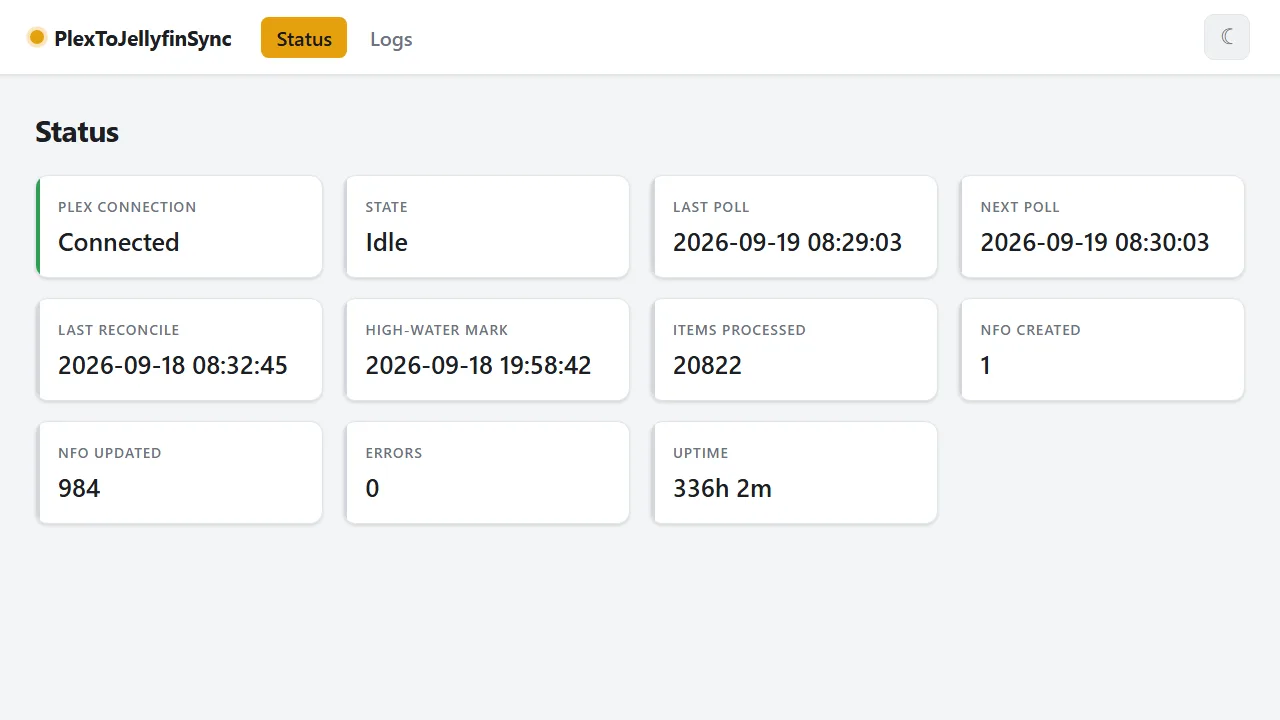
Overview
Anyone running Plex and Jellyfin side by side knows the problem: what is marked as watched in Plex is unknown to Jellyfin. PlexToJellyfinSync closes that gap by reading the watch state from Plex on a schedule and writing it into the NFO files next to the media files, which is where Jellyfin imports user data from.
The application runs as a small container and works purely by polling: it needs no Plex Pass and therefore also picks up items that were marked as watched by hand. A fast incremental pass checks the history, and a periodic full reconcile catches up on anything missed. Existing NFO files stay untouched except for the watched, playcount and lastplayed fields; missing files can be generated from the Plex metadata.
The most important setup step is the path mappings. Plex reports file paths as the Plex server sees them, while this container finds the same files under its own mount point. A mapping rewrites the Plex prefix into the local one. What matters is the path Plex returns through its API, not the folder you see in the interface. Without a matching mapping an item is skipped and logged as such, rather than written to a wrong path.
One limitation sits on the Jellyfin side: Jellyfin can only import NFO user data for exactly one user. The tool therefore works with the Plex server owner. In the Jellyfin library settings the NFO metadata reader has to be enabled, with the target user set to the one corresponding to the Plex owner.
Features
Installation
docker run -d \
--name plextojellyfinsync \
-e PLEXSYNC__Plex__BaseUrl="http://plex:32400" \
-e PLEXSYNC__Plex__Token="<your-plex-token>" \
-e PLEXSYNC__PathMappings__0__Plex="/data/Movies" \
-e PLEXSYNC__PathMappings__0__Local="/media/Movies" \
-v /path/to/media:/media \
-v /path/to/config:/config \
-p 8080:8080 \
networlddev/plextojellyfinsync:latestThe media volume has to be mounted writable. At least one matching path mapping is mandatory, otherwise items are skipped.
Releases
v1.6.0 · 24/10/2026
- Invalid configuration now stops the start. The
Plex,Sync,StateandDashboardsettings are checked - Behind a reverse proxy, set
Dashboard:TrustedProxies. Forwarded headers (X-Forwarded-For,
- [Docs] Align image references with the Docker Hub release
- [Docs] Add a docs tier to the squad and tighten record fixes
- [Core] Validate options at startup
- [Docs] Apply squad lessons from the issue #31 run
- [Docs] Add a Devil's Advocate plan challenge to the squad
- [Service] Split SyncOrchestrator into focused collaborators
- [Docs] Adopt the Squad-Spec-Repository-Template squad and agent rules
- [Docs] Update the squad from Squad-Spec-Repository-Template
- [Docs] Update the squad from Squad-Spec-Repository-Template
- Bump the nuget-dependencies group with 1 update
v1.5.0 · 02/10/2026
- [CI] Remove redundant GitHub release creation step
- [Service] Parallelize episode writes during series reconcile
- [Tests] Add cancellation coverage for in-flight parallel episode writes
- [Service] Reconcile Plex libraries concurrently during full reconcile
- Bump the actions group with 5 updates
- [Service] Page through Plex history instead of hard-capping it at 500
- [Service] Page through Plex library and episode listings
- [PlexClient] Guard pagination against a non-advancing page
- Stream Plex library and episode reads instead of buffering them
- Only report LastPlayed on fully watched season/series aggregates
- Update Reihitsu.Analyzer to 1.0.0 stable and adjust CI
- Skip malformed existing NFO instead of throwing
v1.4.3 · 21/09/2026
- [CI] Trigger releases from a manually pushed tag instead of PR merges
- [Service] Redact known secrets from captured log text
- [Docs] Align workflow skills with the PiMonitor skill template
- [Service] Write NFO files atomically via a temp file and rename
- [Service] Write state.json atomically and preserve corrupt files
- [Service] Isolate per-item failures so one bad entry can't stall a cycle
- [Service] Don't let an upfront Plex timeout crash the host
- [NfoWriter] Reject writes that resolve outside a mapped local root
- [PathMapper] Reject leading path-traversal segments
- Validate and cap Plex metadata before mapping media items
v1.4.2 · 19/09/2026
- Update MSTest to 4.4.1 in Directory.Packages.props
v1.4.1 · 19/09/2026
- Rebuild website after release
- [Docker] Fix non-root container unable to read appsettings.json